Findings
The Findings page brings every vulnerability across SAST, SCA, DAST, IAST and AI penetration testing into one place — so you can see and prioritize your whole security picture without hopping between modules.
The unified findings view
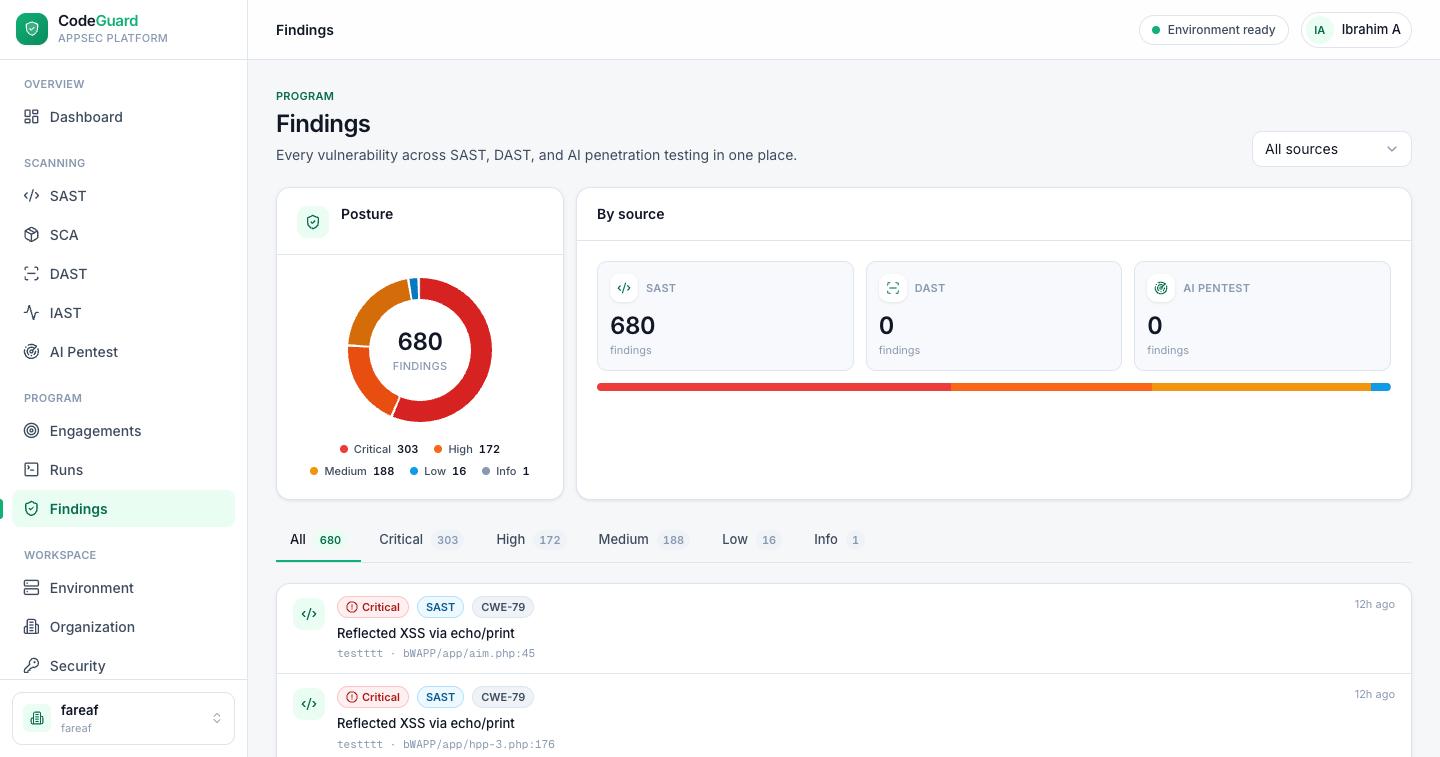
Open Findings from the sidebar. At the top, a Posture donut summarizes open findings by severity, and a By source panel splits them across the modules that produced them — SAST, SCA, DAST, IAST and AI Pentest — so you can see where your risk is concentrated. Severity tabs let you jump straight to the criticals.
Reading a finding
Each finding in the list shows, at a glance:
Filtering
Narrow the list two ways: the severity tabs (All / Critical / High / Medium / Low / Info) and a source filter to focus on a single module. Use these together to build a worklist — for example, “all critical findings from AI Pentest.”
Where findings come from
Findings flow in from every module, but the deepest evidence lives with the scan that produced it:
| Source | Produced by | Full detail lives in |
|---|---|---|
| SAST | Static scans of your source. | The SAST project & scan views (code snippet, dataflow, AI review). |
| SCA | Vulnerable dependencies from SAST scans. | The SCA inventory and advisory cards. |
| DAST | Dynamic scans of a running target. | The run that produced them. |
| IAST | An in-process runtime agent. | The IAST run, with the request, code path and stack trace at the sink. |
| AI Pentest | Autonomous agent runs. | The run with its reasoning trail and proof. |
One issue, not three
Because every module reports into the same queue with the same severity scale, CodesGuard can line up results that describe the same weakness. A risky code path flagged by SAST, confirmed reachable at runtime by DAST or IAST, and chained into a working exploit by AI Pentest is one correlated, deduplicated, prioritized issue — not three separate tickets in three tools. You fix it once and watch it clear everywhere on the next scan.
Acting on findings
CodesGuard's workflow is scan → fix → re-scan. To work through findings:
- Prioritize
Start with critical and high. For SAST, use the FP % score to focus on what's most likely real; for SCA, start with known-exploited advisories and packages your code calls. For DAST and AI Pentest, proven exploits come first; IAST findings were all observed under real traffic.
- Understand the evidence
Open the source scan or run to see the dataflow, code, or exploit proof behind the finding.
- Remediate
Apply the recommended fix in your code, dependencies, or configuration.
- Re-scan to confirm
Run the scan again. Resolved issues drop off, and the project's gate and your posture update automatically.