DAST — Dynamic application security testing
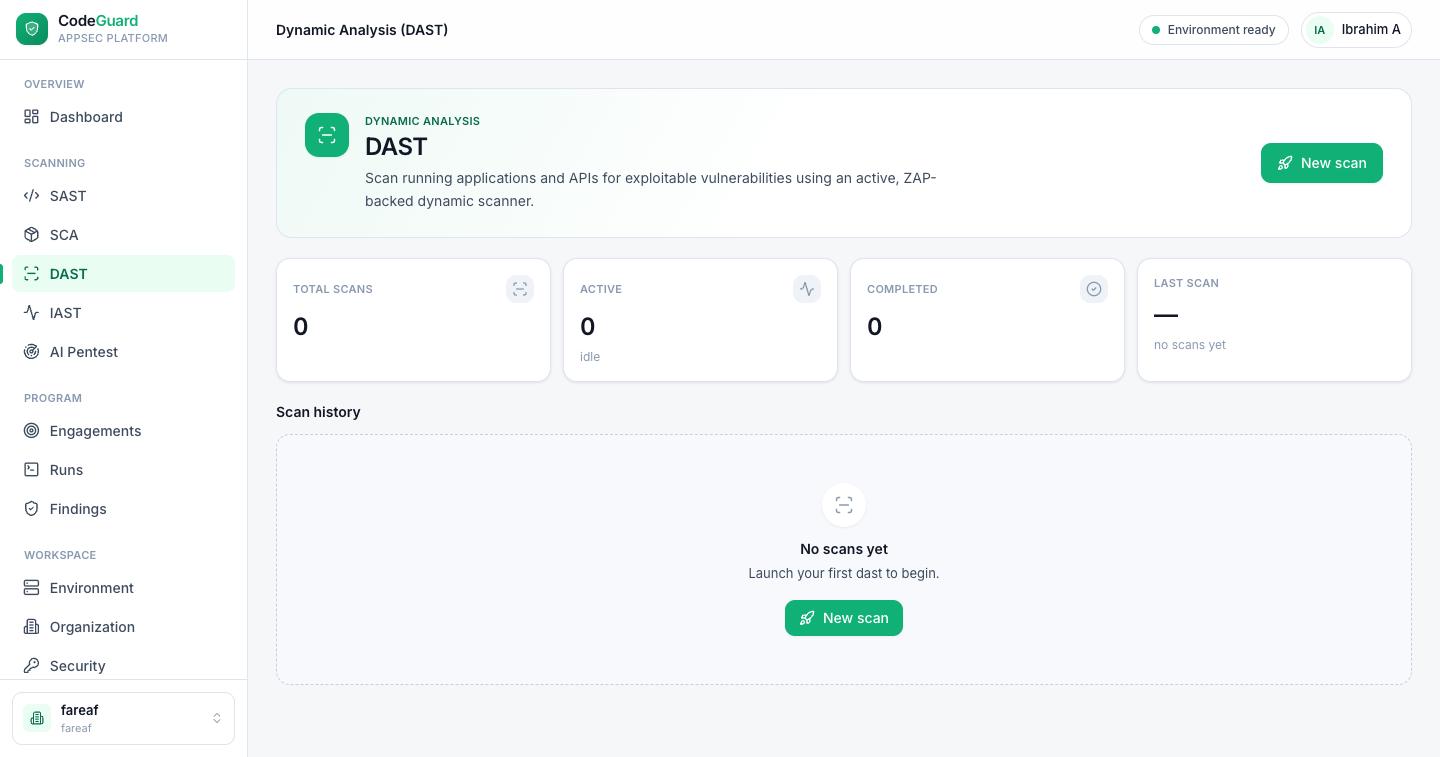
DAST tests your application while it's running. It crawls a live app or API, fuzzes every input it finds, and confirms each issue with the exact request that triggered it and the response that proves it landed — the way an attacker would, from the outside.
What DAST is (and when to use it)
Where SAST reads your source code, DAST never sees it. Instead it interacts with the deployed application over HTTP — crawling pages, submitting inputs and sending crafted attack payloads — to answer one question: “Can this be exploited while it's running?” Because it exercises the real, assembled system — server, framework, configuration and all — DAST catches issues static analysis can't see on its own: authentication and session flaws, access-control gaps, security misconfiguration and injection that only manifests at runtime.
How a scan works
A DAST scan maps your application's runtime surface, then attacks it:
- Spider & crawl
The scanner discovers pages, forms, parameters and API endpoints — your attack surface. For modern apps it drives a real browser and captures the XHR/AJAX calls a single-page app actually makes.
- Active attack
It fuzzes every discovered input with attack payloads, probing for injection, cross-site scripting, access-control and other exploitable weaknesses.
- Authenticated coverage
With a captured session attached to the engagement, the scanner replays your login to reach the protected pages and APIs where serious bugs live.
- Confirm & report
Each confirmed issue becomes a finding with a severity and the request/response evidence that proves it, surfaced in the unified Findings view.
Before you scan: you need an engagement
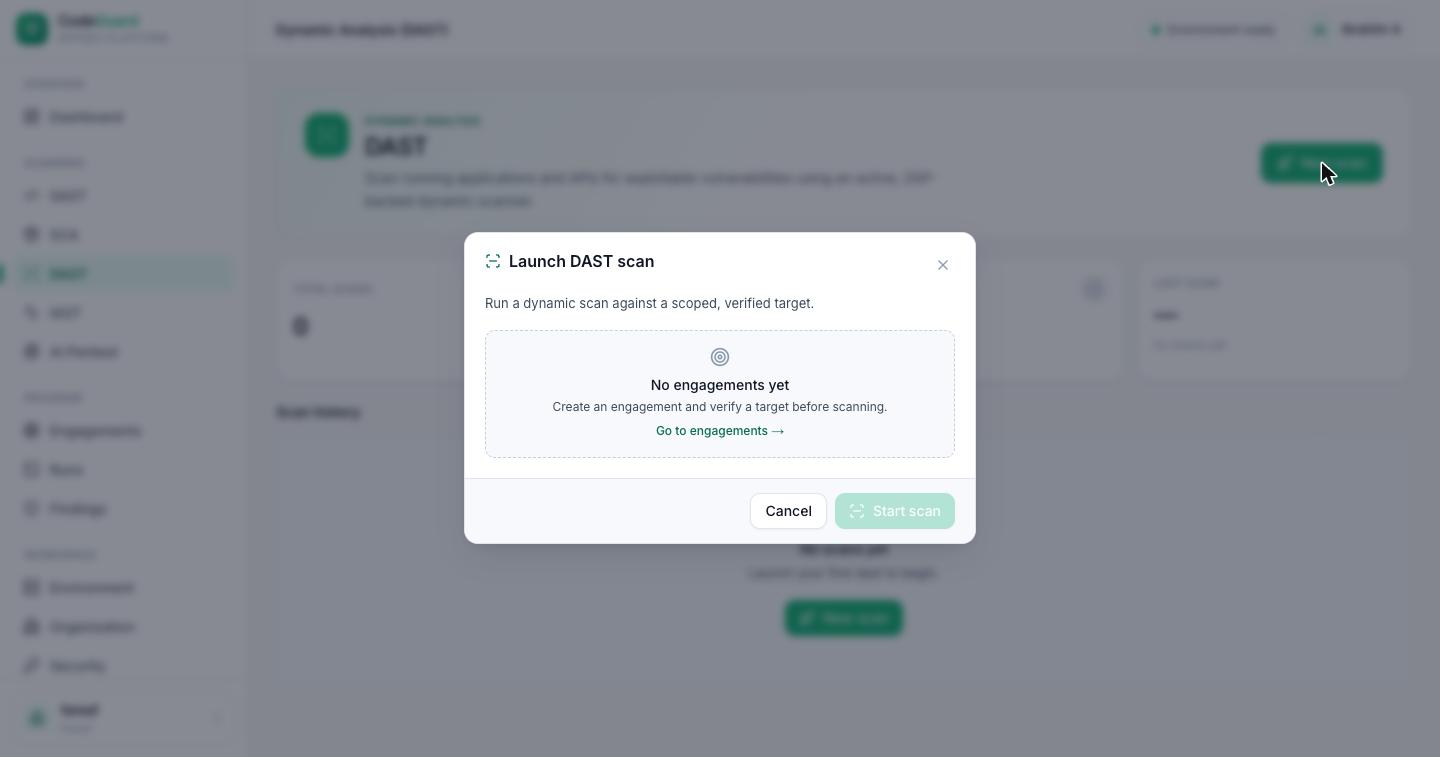
DAST runs against a DNS-verified target on an engagement — never an ad-hoc URL typed into a box. That's a deliberate design choice: a target is verified once, with a recorded authorization attestation and a defined scope, and then reused safely across every future run. It's how CodesGuard confirms you're allowed to test the system and keeps each scan inside the boundary you set.
Choosing a scan depth
When you launch a scan against a ready engagement, you pick how aggressive it should be. Deeper scans find more but take longer:
| Depth | What it does | Use when |
|---|---|---|
| Baseline | A passive spider plus baseline checks — no aggressive attacks. | A fast, low-risk first pass or a regular safety check. |
| Quick active | A fast active attack over the discovered surface. | You want real attack coverage without a long run. |
| Full active | Comprehensive active testing with a browser-based crawl for modern, JavaScript-heavy apps. | A thorough assessment — the most complete coverage. |
Authenticated scanning
Most serious vulnerabilities live behind the login. To reach them, attach a captured session to the engagement through Interactive login: you sign in yourself in a streamed remote browser — completing any multi-factor or single-sign-on step — and CodesGuard keeps the resulting session for the scanner to replay. The crawl and the attacks then run as an authenticated user.
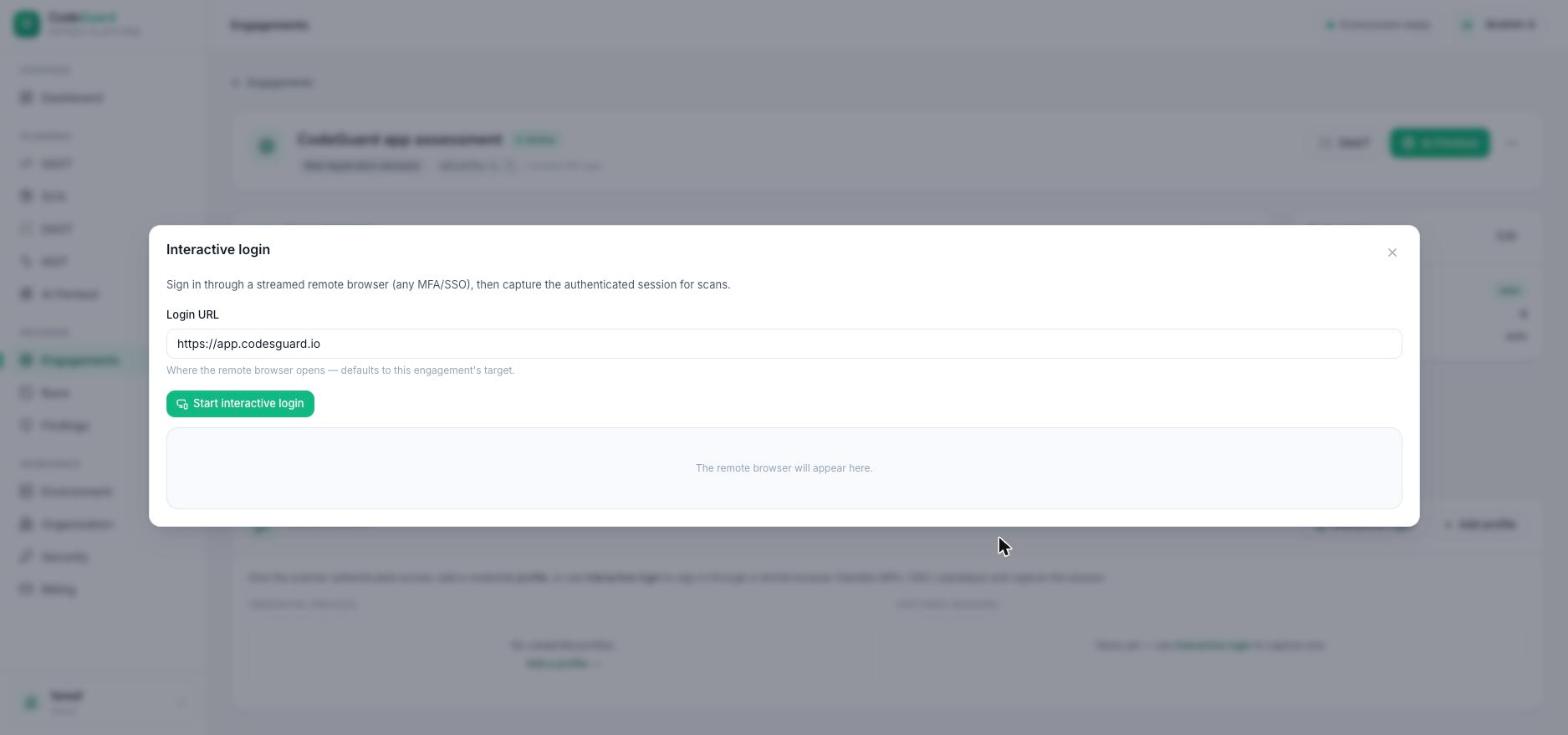
See capturing an authenticated session for the full flow.
SPA and API aware
A single-page app doesn't expose its endpoints in plain HTML — it calls them from JavaScript. CodesGuard's browser-based crawl records those XHR and AJAX calls and seeds the scanner with the endpoints the app actually uses, so modern front ends and the APIs behind them get real coverage rather than a crawl that stops at the first screen.
Reading results & the evidence
A launched scan opens a live run view that streams progress as the scanner works; you can also find it on the Runs page. Every confirmed issue becomes a finding carrying:
- The attack request
- The exact HTTP request, payload and all, that triggered the issue.
- The response
- The response that proves the payload landed — the evidence, not a guess.
- A differential verdict
- How the attacked response differed from a clean control, so you can see why it was flagged.
- A remediation
- Plain-language guidance on how to fix the class of issue.
Findings appear in the unified Findings view and roll up into your dashboard security posture, alongside SAST, SCA, IAST and AI Pentest results.
Reproducible by design
The scanning engine is pinned per workspace, so a scan run today and the same scan run next month behave identically — and every finding carries the request and response that produced it. Separately, every change to the scanner is scored in continuous integration against a planted-flaw application and a clean control: a regression in any vulnerability class fails the build before it can reach you. See the CI & the release gate.
Access & plans
DAST is available on the Trial, Pro and Enterprise plans, with quotas on the number and depth of scans. If DAST isn't in your plan, the module shows an upgrade prompt — see Billing & plans. Runs also require a healthy tenant stack; see Environment.
FAQ
- Why isn't there a URL box on the DAST page?
- Targets live on an engagement so they can be verified once and reused safely across every run — with a recorded authorization and a defined scope.
- How does authenticated scanning handle MFA?
- You sign in yourself in a streamed remote browser, complete any MFA or SSO step, and CodesGuard captures the resulting session for the scanner to replay.
- How do you keep results reproducible?
- The scanning engine is pinned per workspace, so runs behave identically over time, and every finding carries the request and response that produced it.
- Can DAST scan an API with no UI?
- Yes. Point the engagement at the API's base URL; the scanner exercises the endpoints directly, and a captured session covers authenticated routes.